
Inventory cycle counting means counting a small, defined slice of stock on a fixed schedule instead of shutting down operations for one annual count. It keeps your ERP or WMS records aligned with what is actually on the shelf, and it works only when three things happen every time: the count is blind, every touch gets logged with a timestamp and reason code, and a second person verifies the recount before anyone adjusts the system.
TL;DR:
- Frequent cycle counting with blind, timestamped, and verified recounts keeps inventory data accurate without disrupting daily operations.
- Choosing the right method, such as ABC or XYZ classification, depends on whether the focus is on dollar value, stockout risk, or bin accuracy, affecting detection of issues.
- Consistently applying the same counting process, including independent recounts and detailed adjustment logs, is essential for reliable audit trail and higher accuracy.
- Re-ranking problem SKUs quarterly and addressing recurring variances with process reviews prevents persistent errors from becoming systemic.
- Building a strong reason-code taxonomy and verification discipline before scheduling counts leads to better data quality than simply increasing count frequency.
Table of Contents
- What Is Inventory Cycle Counting, and Why Does It Matter?
- Choosing a Counting Method: ABC, XYZ, and Beyond
- How to Run a Cycle Count: The Step-by-Step Process
- Setting Your Cycle Count Frequency and Schedule
- Technology That Actually Speeds Up Reconciliation
- Quality Controls That Actually Raise Your Accuracy Number
- Why Variances Keep Coming Back (and How to Stop Them)
- Cycle Counting for Trade-Service Parts Rooms and Truck Stock
- What the Data Actually Tells You to Prioritize
- Sources
What Is Inventory Cycle Counting, and Why Does It Matter?
Cycle counting confirms that physical inventory matches what your system says you have, without freezing the whole warehouse to do it. A full annual physical inventory still has its place, especially for audit or tax purposes, but it forces a shutdown, pulls staff off their real jobs, and only tells you the truth once a year. Cycle counts spread that verification across the calendar in small batches, so errors surface within days instead of months.
Distribution centers, retailers, third-party logistics operators, and trade-service companies running parts inventories all lean on this method for the same reason: continuous operations can’t tolerate a full stop, but they also can’t run blind on stock data. A plumbing contractor with three warehouses full of fittings has just as much exposure to bad data as a national retailer, just at a smaller scale.
The KPI that ties it together is inventory record accuracy, or IRA. It is calculated as the number of SKUs counted correctly divided by total SKUs counted, expressed as a percentage. A basic IRA formula looks like this in practice:
- Count 200 SKUs in a cycle
- 190 match system records exactly
- IRA = 190 / 200 = 95%
Choosing a Counting Method: ABC, XYZ, and Beyond
The counting method you pick determines whether your program catches the problems that actually cost you money, or just busies your team with low-stakes recounts. Those “A” items get counted most often. “B” items sit in the middle. “C” items, often the bulk of your SKU count by volume but the smallest share of value, get counted least frequently.
XYZ classification ranks by turnover or demand variability instead of dollar value, and it beats ABC when your real risk is stockouts rather than shrinkage dollars. A cheap fastener that moves constantly can shut down a production line if it runs out, even though it would never make an A-list ranked by cost. Combining the two into a hybrid rank, weighting by cost times usage, catches both risks at once.
Other approaches fill specific gaps:
- Geographic counting cycles through physical zones regardless of item classification, useful when bin accuracy is the suspect, not item value.
- Control-group counting repeatedly recounts a fixed sample to test whether your process itself is introducing errors.
- Random-sample counting picks SKUs at random each cycle, which is fast to set up but weaker at catching chronic problem items.
- Opportunity-based counting counts a location whenever it hits zero or gets touched during a pick, piggybacking on existing activity.
| Method | Best for | Tradeoff |
|---|---|---|
| ABC / Pareto | High-value SKUs, shrinkage control | Ignores low-cost, high-turnover risk |
| XYZ / turnover | Preventing stockouts | Can under-prioritize expensive slow movers |
| Geographic | Bin and location accuracy | Not tied to item risk |
| Control-group | Testing process integrity | Doesn’t cover full catalog |
| Opportunity-based | Low labor overhead | Coverage is inconsistent |
Most ERP and WMS platforms let you set the counting basis at the product level or the location level, and location-level settings override product-level ones when both are configured. Know which layer is actually controlling your count plan before you troubleshoot why a SKU keeps getting skipped.
How to Run a Cycle Count: The Step-by-Step Process
A cycle count only works if the same sequence runs every time, with the same discipline, regardless of who is on the floor that day. Here is the operational sequence that holds up under audit scrutiny:
- Select the scope. Pull the SKUs or zones due for count based on your classification schedule.
- Freeze movement. Lock the zone or SKU from picks, receipts, and transfers for the count window, whether that’s 15 minutes or a full shift.
- Snapshot the system. Pull a timestamped on-hand quantity from the ERP or WMS the moment the freeze starts.
- Assign counters. Route the task to a counter who does not have write access to that SKU’s records.
- Count blind. The counter enters what they physically find without seeing the system’s expected quantity.
- Flag variances. Anything outside your tolerance threshold gets flagged automatically, not manually spotted later.
- Independent recount. A second person, different from the first counter, verifies flagged variances.
- Investigate open transactions. Check for unrecorded receipts, floating pick tickets, or unit-of-measure mismatches before touching the system quantity.
- Adjust with a reason code. Every adjustment gets a code (damage, receiving error, mispick, theft, UoM conversion, etc.), never a blank correction.
- Log the full audit trail. Counter ID, recount ID, approver ID, timestamps, before and after quantities, all captured together.
This ten-step workflow is the backbone of any defensible program, and skipping steps 7 through 10 is where most counting programs quietly fail. Multi-bin SKUs need every location checked, not just the primary bin, and unit-of-measure verification matters more than people expect: a case counted as an each will throw off your IRA even when the physical count was correct.
Escalation rules should be set before you need them. A common approach: variances under a set dollar threshold get adjusted by the inventory control lead, anything above it needs a manager or controller sign-off, and repeat variances on the same SKU trigger a root-cause review instead of another routine adjustment.
Pro Tip: Assign recounts to whoever is physically closest to the bin, not whoever is available. Immediate verification while the counter is still standing there catches mispicks and shelf-location errors that a same-day-later recount misses entirely.
Setting Your Cycle Count Frequency and Schedule
Classification tells you what to count. Frequency tells you when, and that comes down to risk tolerance and available labor hours. A reasonable starting point, adjusted after your first quarter of data:
| Class | Suggested frequency | Rationale |
|---|---|---|
| A items | Every 30 days | Highest dollar exposure, tightest tolerance |
| B items | Every few months | Moderate exposure, moderate labor cost |
| C items | Once or twice a year | Low value per unit, high volume |
Capacity math keeps the schedule honest. If your warehouse holds 4,000 SKUs split 20/30/50 across A/B/C, and you have two counters who can each complete roughly 25 counts per shift, you’re looking at 800 A-item counts a year, 1,200 B-item counts, and 2,000 C-item counts, which totals roughly 4,000 counts annually against a capacity of about 12,500 counts (50 per day times 250 working days). That leaves headroom for recounts and unscheduled investigations, which is exactly where the slack needs to sit.
A few adjustments worth building in from the start:
- Re-rank classes quarterly for most operations; monthly if your business is seasonal and demand shifts fast.
- Move a SKU up a class immediately after two consecutive variance flags, regardless of its dollar value.
- Treat chronic problem SKUs as a control-group item until the root cause is fixed, not just a higher-frequency count.
Technology That Actually Speeds Up Reconciliation
The technology stack matters less for the counting itself and more for how fast you can reconcile and trust the result. A timestamped snapshot pulled directly from the ERP or WMS at the moment of freeze is non-negotiable. Without it, you’re comparing a physical count against a system quantity that may have shifted in the time it took someone to walk to the bin.
Mobile audit apps that enforce blind counting change the workflow in a concrete way: the counter can’t see the expected quantity on the screen, so there is no anchoring bias, and variances get flagged the instant the count is submitted. That immediacy matters because flagging variances while the counter is still at the bin cuts the number of full recount cycles needed, since the investigation can start on the spot instead of after a shift change.
RFID is worth considering when you have high-volume zones with line-of-sight scanning problems, dense pallet stacking, or SKUs that are physically hard to reach for a barcode scan. It costs more to deploy and tag than barcode scanning, so it earns its place in high-friction zones rather than across the whole warehouse.
Whatever platform you run, modern ERP and WMS systems should give you:
- Configurable tag-counting parameters by product or location
- Automated variance alerts above a set tolerance threshold
- Exportable audit logs with counter, approver, and timestamp fields
- Dashboard views for IRA trending by class over time
Quality Controls That Actually Raise Your Accuracy Number
Blind counting is the single most enforceable rule in this whole process, and it’s also the one teams cut corners on first when they’re behind schedule. The counter should never see the system’s expected quantity before entering what they found. If your current process shows counters the expected number “to save time,” you’re not running a cycle count, you’re running a confirmation exercise that will always show whatever accuracy you want it to show.
Reason codes are where the real value shows up over time. A taxonomy covering receiving error, mispick, damage, theft, UoM conversion, and system lag gives you a dataset you can actually analyze. High-performing operations tend to reach top-tier accuracy not simply by counting more often, but by enforcing recount verification and feeding reason codes back into corrective action. The count frequency alone does not fix accuracy. The feedback loop does.
Your dashboard should track:
- IRA by class (A, B, C separately, not blended)
- Repeat-variance SKUs, flagged after two consecutive misses
- Daily count completion rate against the scheduled worklist
- Adjustment dollar value by reason code, reviewed monthly
Why Variances Keep Coming Back (and How to Stop Them)
Persistent variance on the same SKUs almost always traces back to one of a handful of causes. Run through this before you assume it’s a counting problem:
- Floating paperwork. Receiving documents or pick tickets not yet entered into the system when the count happened.
- Unrecorded receipts. Stock physically on the shelf that hasn’t been received into the ERP yet.
- Overflow bins. Secondary or overflow locations for a SKU that never got added to the count scope.
- UoM mismatches. Cases counted as eaches, or vice versa, at receiving or during a pick.
Short-term, adjust with the correct reason code and move on. Long-term, if the same SKU flags three cycles running, pull in receiving and picking leads for a joint review, not just inventory control. Variance that keeps recurring is a process problem wearing a counting problem’s clothes.
Cycle Counting for Trade-Service Parts Rooms and Truck Stock
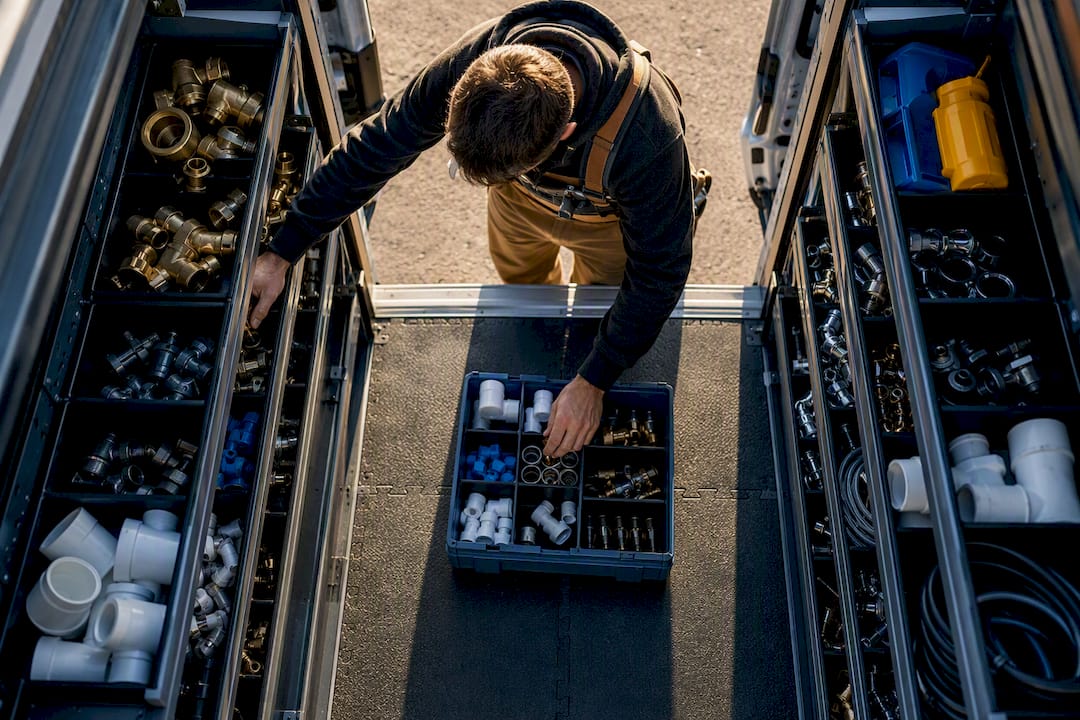
The same SOP applies whether you’re counting pallet racks in a distribution center or fittings in an HVAC parts cabinet, but trade-service inventories carry a specific failure mode: stock spread across a warehouse, a dozen service trucks, and a technician’s personal stash, with no single source of truth for any of it.
Cycle counting truck stock works best as a rolling geographic count: rotate through vehicles on a fixed weekly schedule rather than trying to count the whole fleet at once. Critical spares, the parts that stop a job cold if missing, deserve A-class frequency regardless of their dollar value, following the same XYZ logic that applies in any warehouse.
Rebuilding the trades has seen this pattern play out across HVAC, plumbing, and electrical companies going through operational cycle-count programs: the businesses that get financial visibility right treat parts accuracy as a leadership metric, not a warehouse afterthought.
A quick-start checklist trade companies can adapt:
- Classify critical spares as A-class regardless of unit cost
- Assign one truck per counter per week, rotating through the fleet monthly
- Require a reason code for every adjustment, even a $4 fitting
- Review repeat-variance parts with dispatch and purchasing, not just the warehouse lead
What the Data Actually Tells You to Prioritize
The conventional advice on cycle counting spends too much time on frequency and not enough on verification. Count more often, the standard playbook says, and your accuracy will climb. That’s backwards. A warehouse counting weekly with no blind-count discipline and no independent recounts will still bleed accuracy, just faster and with more labor spent doing it.
What the operational evidence actually supports is that the audit trail is the product, not a byproduct of counting. Counter ID, recount ID, reason code, timestamp: that structure is what lets you find the SKU that fails every quarter and fix the receiving process that keeps breaking it. Frequency without that structure just generates more uninvestigated variance, faster.
If you’re starting from scratch, don’t build the schedule first. Build the reason-code taxonomy and the recount rule first. Then layer ABC or XYZ classification on top once you know your team will actually follow the verification steps. A perfect schedule enforced loosely produces worse data than a modest schedule enforced strictly.
— Dan
Sources
- How to Do a Cycle Count in a Warehouse: Step-by-Step Process for Operations Teams
- Inventory Cycle Counting 101: Best Practices & Benefits | NetSuite
- About cycle counting – Oracle documentation
0 Comments